01 / 05 · Prep
Warm the dripper
Rinse the paper filter and heat the server.
00:00ready
Navigate, scroll, and interact with natural gestures.
Your hands are free for what matters.
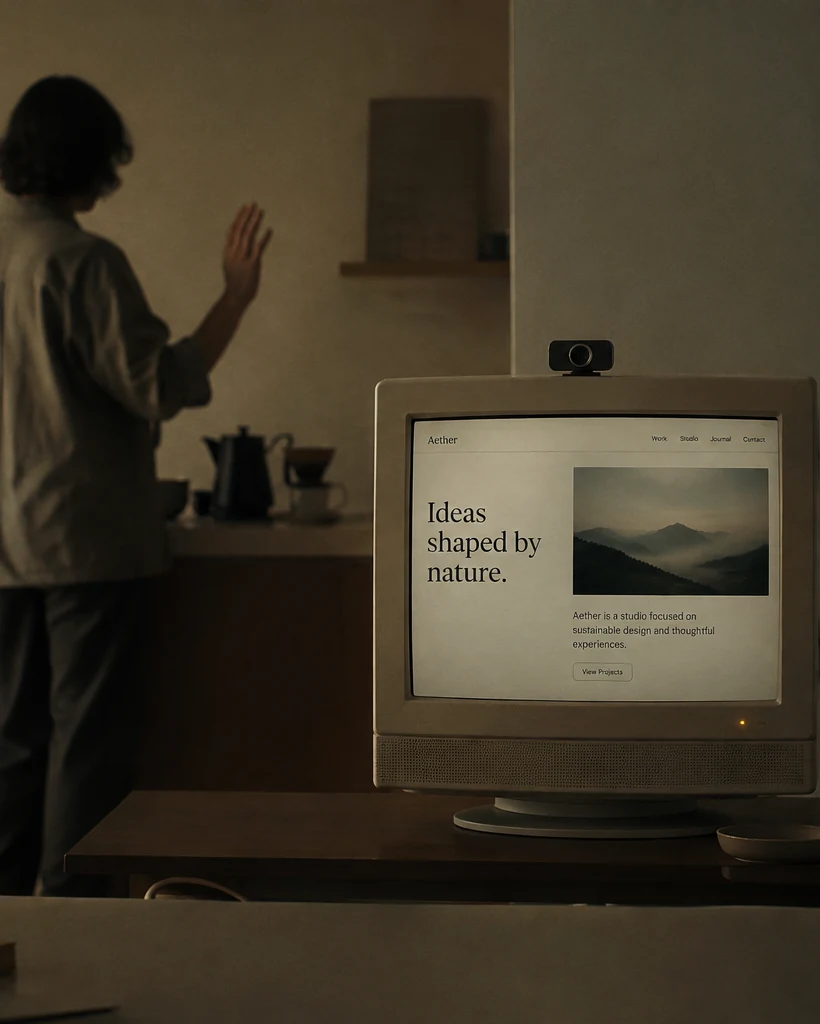
NoTouchWeb turns your camera into a quiet layer of control. A small gesture moves the page, advances the slide, or selects what you need—then technology steps back again.
NoTouchWeb is a browser-based gesture control interface for navigating digital content without touching a mouse, keyboard, or screen.
With camera permission, the current demo analyzes motion on the device and translates a hand wave into the next step of an on-screen guide. The camera feed is not uploaded, recorded, or stored.
Move through recipes and timers while your hands stay clean and busy.
Advance slides and demos while staying with the people in the room.
Create touch-free kiosks and installations with no specialized hardware.
The demo uses motion locally in your browser. Nothing is uploaded, recorded, or stored.
NoTouchWeb is designed to process interaction locally. Your video is never sent to a server.
NoTouchWeb is a browser-based gesture control interface for navigating digital content without touching a mouse, keyboard, or screen.
After you grant camera permission, the demo analyzes motion locally in the browser. A hand wave advances the on-screen coffee guide to its next step.
No. In the current demo, camera frames are processed locally and are not uploaded, recorded, or stored.
No dedicated gesture hardware is required. The demo uses a camera already connected to your device and a modern browser with camera access.